
Recover Broken WordPress Sites Instantly with Debug Manager Pro Plugin


WordPress 6.0+ | PHP 8.0+ | MySQL 5.7+ | Version 1.1.3
Debug Manager Pro – A Complete WordPress Debugging Toolkit
Debug Manager Pro is a powerful WordPress debugging plugin that helps developers monitor errors, manage debug settings, track website performance, view logs, and recover broken WordPress sites without manually editing wp-config.php.
Debug Manager Pro Overview
Debug Manager Pro brings essential WordPress debugging tools together in one convenient dashboard. It eliminates the need for manual configuration and provides developers with useful insights into WordPress errors, performance, logs, and site health.
Whether you are troubleshooting a PHP error, investigating a plugin conflict, monitoring performance, or recovering a broken website, Debug Manager Pro provides the tools you need from inside your WordPress environment.
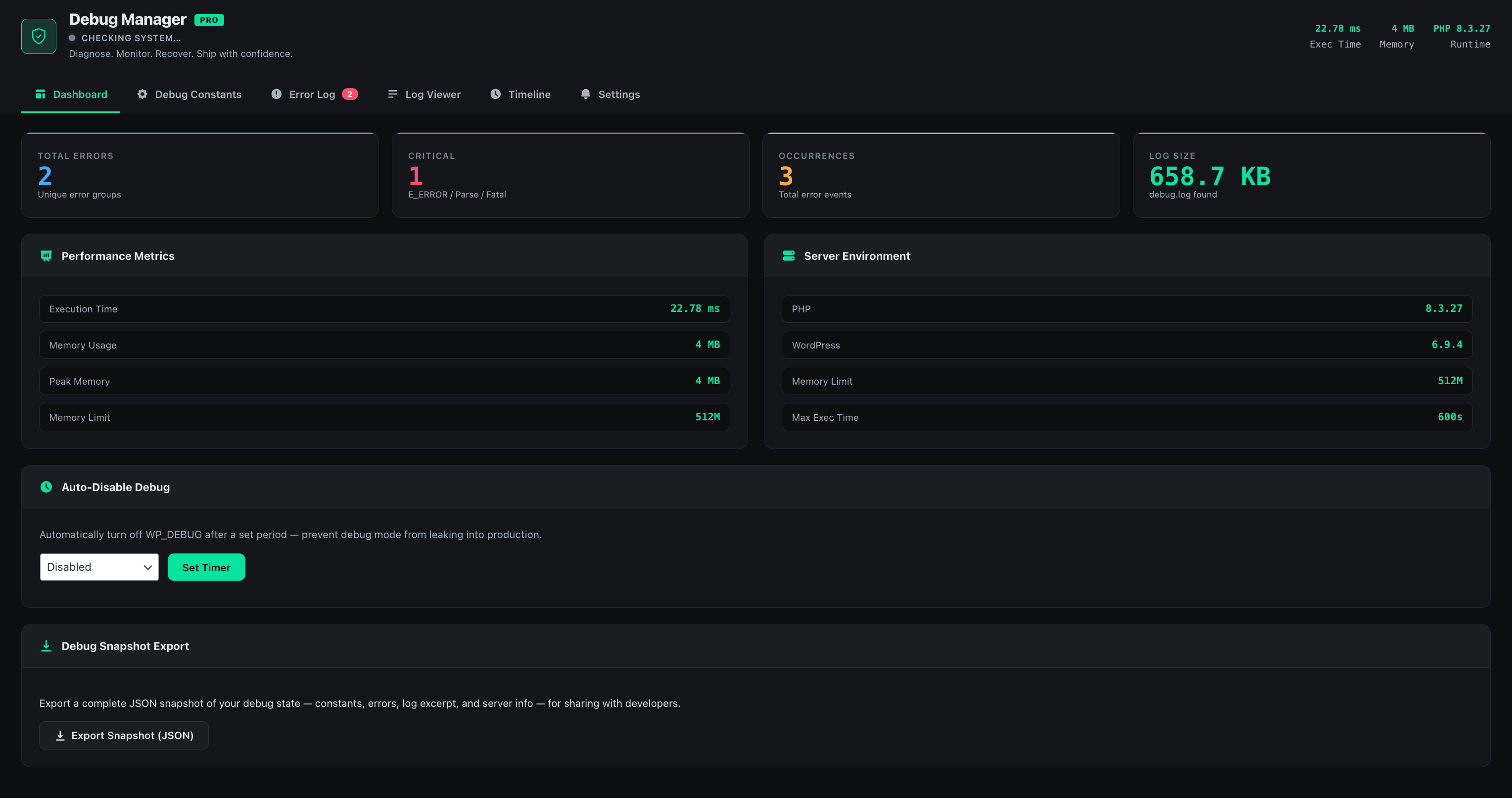
Debug Manager Pro Features
Debug Manager Pro includes a collection of debugging and WordPress development tools designed to make troubleshooting faster and easier.
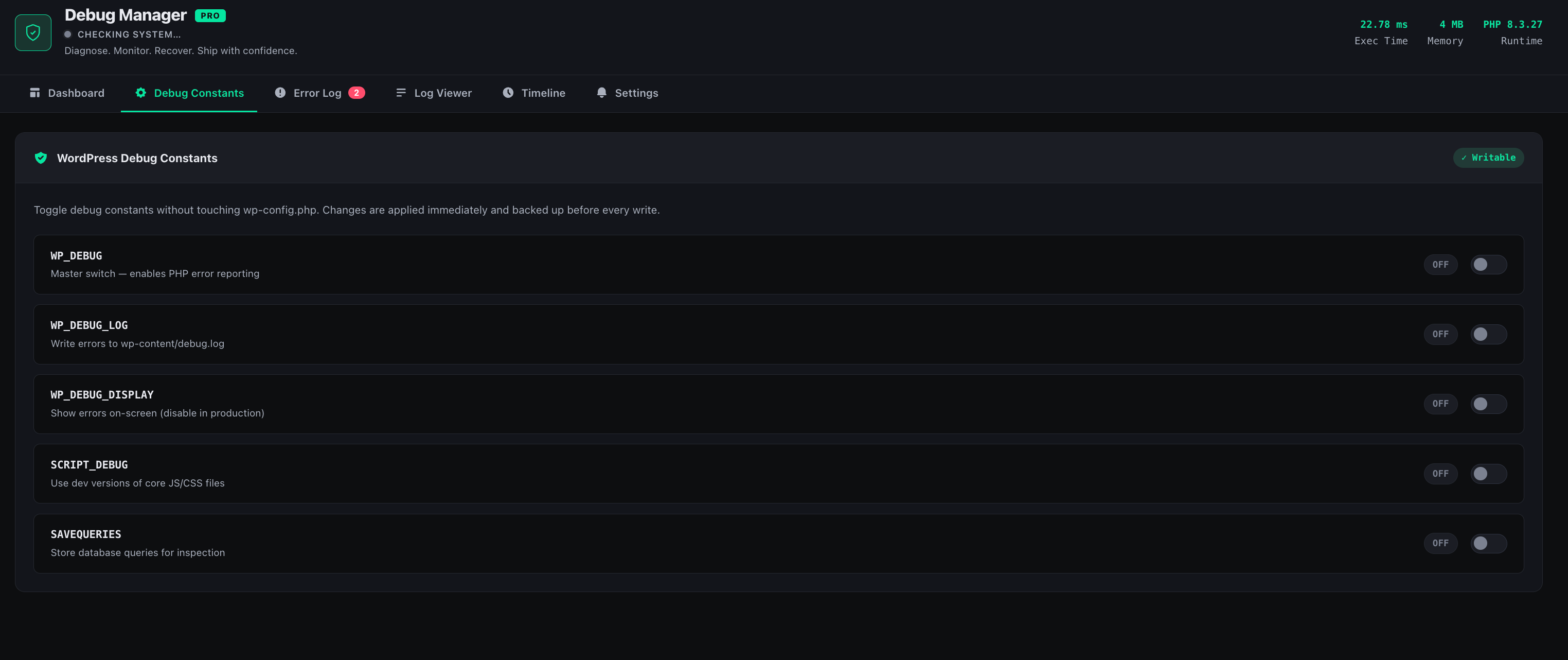
WordPress Debug Controls
Enable or disable WP_DEBUG, WP_DEBUG_LOG, and SCRIPT_DEBUG directly from the WordPress admin dashboard without manually editing configuration files.
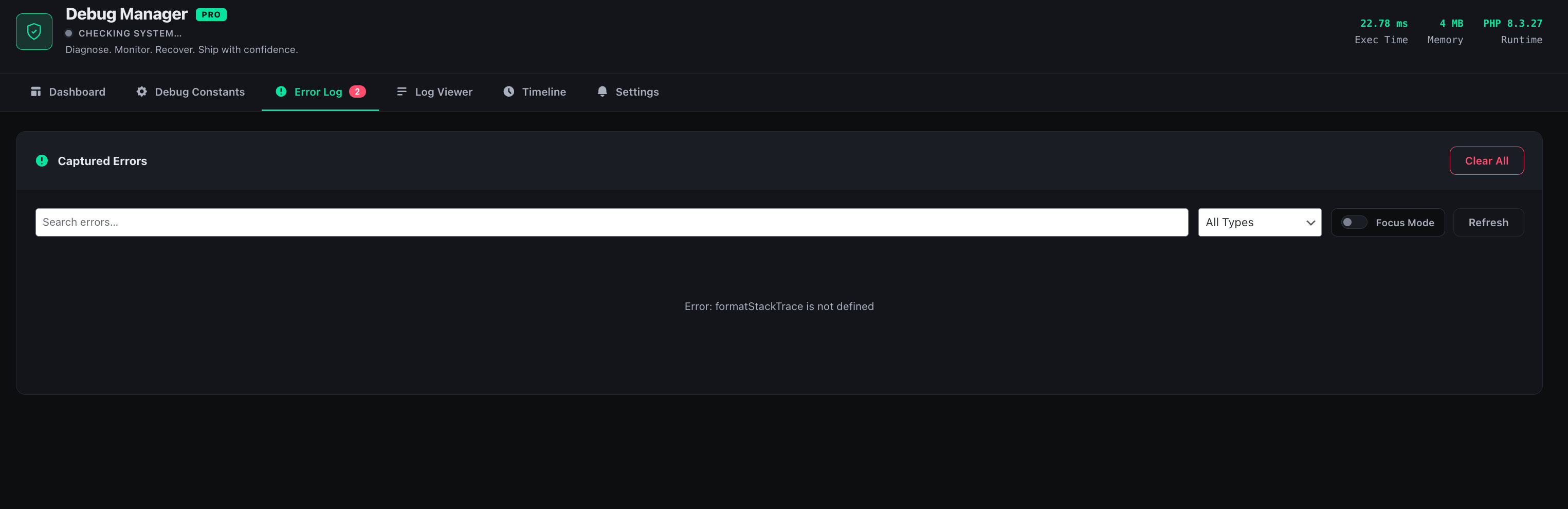
PHP Error Tracking
Monitor PHP errors in real time and review detailed error information with stack traces. Errors are organized by severity, including Critical, Warning, and Notice levels.
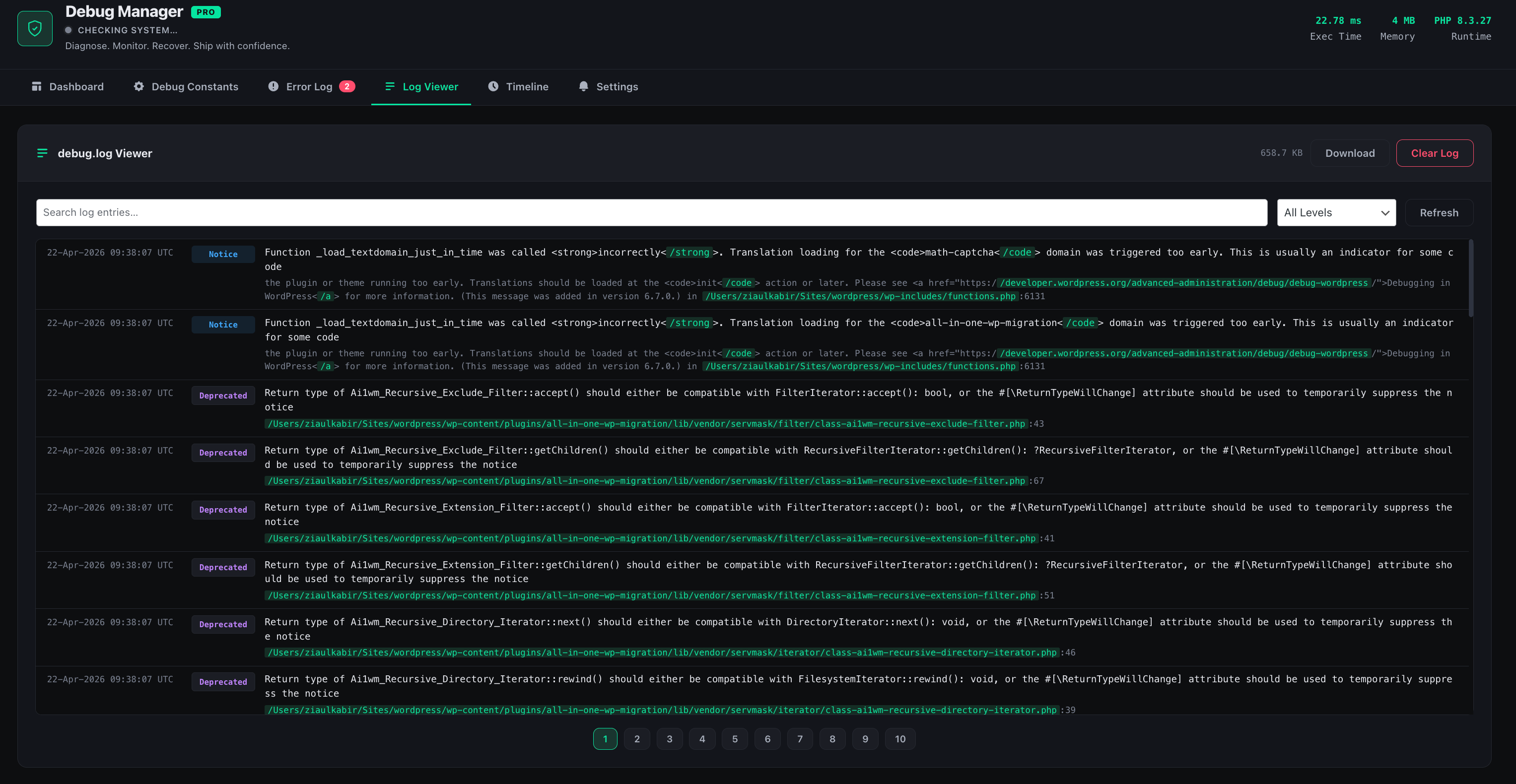
WordPress Debug Log Viewer
View, search, and filter your WordPress debug.log file directly from the WordPress admin area without requiring FTP access.
WordPress Performance Monitoring
Monitor PHP execution time, peak memory usage, and database query counts to help identify performance issues, inefficient queries, and resource-intensive plugins.
WordPress Debug Controls
Manage important WordPress debugging constants from a single interface. Debug Manager Pro allows developers to enable or disable debugging features without opening FTP or manually modifying wp-config.php.
This makes it easier to activate debugging when troubleshooting a website and disable it again when debugging is complete.
PHP Error Tracking for WordPress
Debug Manager Pro automatically captures PHP errors generated by your WordPress website and presents them in an easy-to-understand interface.
Errors can be reviewed according to their severity, helping developers quickly identify issues that require immediate attention and separate them from less critical warnings and notices.
WordPress Debug Log Viewer
The built-in WordPress debug log viewer allows developers to access and manage the debug.log file directly from the WordPress admin dashboard.
Instead of accessing the website through FTP or a hosting file manager, you can search and filter log entries from the Debug Manager Pro interface.
- Search WordPress debug log entries.
- Filter log entries by date.
- Filter entries by log level.
- Review debugging information directly from WordPress admin.
WordPress Performance Monitoring
Debug Manager Pro helps developers understand how their WordPress website performs during page loads. The performance monitoring tools provide information about PHP execution time, memory usage, and database queries.
These metrics can help identify slow plugins, inefficient database queries, excessive memory usage, and other potential performance bottlenecks before they negatively affect website visitors.

Advanced WordPress Debugging Tools
In addition to the core debugging features, Debug Manager Pro includes advanced tools for professional WordPress development and troubleshooting workflows.
- Automatic debug timer: Automatically disable debug mode after a specified period.
- Email alerts: Receive notifications about critical errors.
- Debugging snapshots: Export useful information from debugging sessions.
- Event timeline: Track important system and configuration changes.

Emergency WordPress Recovery Mode
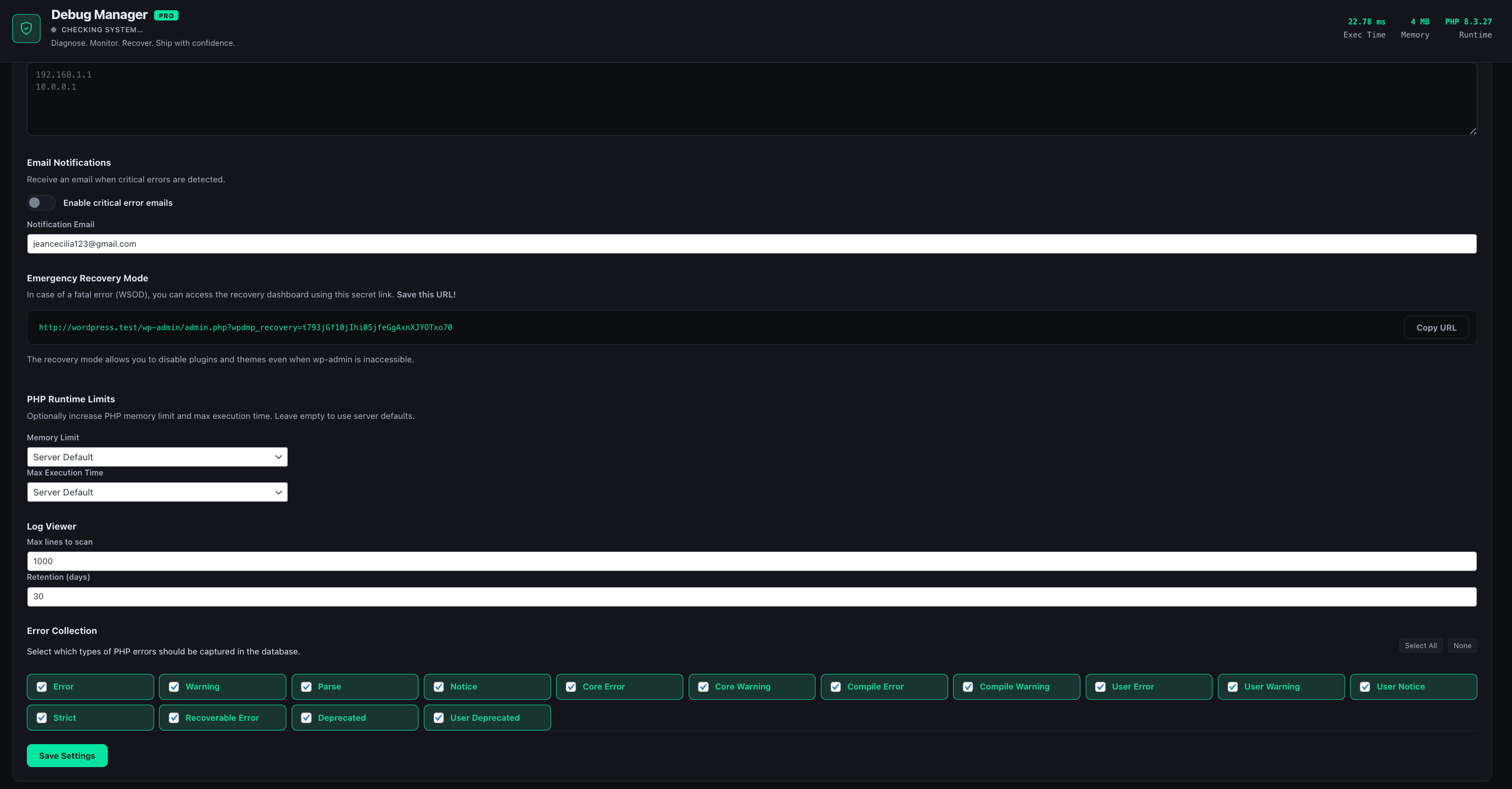
A plugin conflict, theme issue, or configuration error can sometimes prevent you from accessing your WordPress administration area. Debug Manager Pro includes an Emergency Recovery Mode designed to help you regain access when your website is not functioning normally.
Recovery Mode can help you selectively disable plugins and perform recovery actions without relying on normal WordPress admin access or FTP.

WordPress Security Features
Debug Manager Pro is designed with WordPress security practices in mind. Administrative actions are protected and input/output handling is designed to reduce common security risks.
- Nonce verification for administrative actions.
- WordPress administrator capability checks.
- Automatic
wp-config.phpbackups. - Sanitized user inputs.
- Escaped outputs.
How to Install Debug Manager Pro
Installing Debug Manager Pro takes only a few steps. Follow the instructions below to get started.
-
Upload the Debug Manager Pro plugin folder to
/wp-content/plugins/using FTP or the WordPress plugin uploader. - Go to Plugins → Installed Plugins in your WordPress dashboard and activate Debug Manager Pro.
- Open the Debug Manager menu from the WordPress administration sidebar.
- Copy and securely save your recovery link immediately after installation.
Debug Manager Pro System Requirements
Make sure your WordPress hosting environment meets the following minimum requirements before installing Debug Manager Pro.
| Requirement | Minimum Version |
|---|---|
| WordPress | 6.0 or higher |
| PHP | 8.0 or higher |
| MySQL | 5.7 or higher |
Debug Manager Pro Changelog
Review the latest Debug Manager Pro updates, improvements, compatibility fixes, and security enhancements.
- Version 1.1.3: Recovery mode improvements.
- Version 1.1.2: WordPress compatibility fixes.
- Version 1.1.1: Security enhancements.
- Version 1.0.0: Initial release.
Final Thoughts on Debug Manager Pro
Debug Manager Pro provides WordPress developers with a centralized toolkit for troubleshooting errors, managing debug settings, monitoring performance, viewing logs, and recovering websites.
By bringing these tools together in one WordPress dashboard, Debug Manager Pro reduces the need for manual configuration and helps developers troubleshoot WordPress websites more efficiently.
Whether you are investigating a PHP error, diagnosing a plugin conflict, analyzing website performance, or recovering a broken WordPress installation, Debug Manager Pro provides a practical set of tools for your development workflow.
Comments (0)
No comments yet. Be the first to comment!