
Build SP Page Builder pages from a prompt.
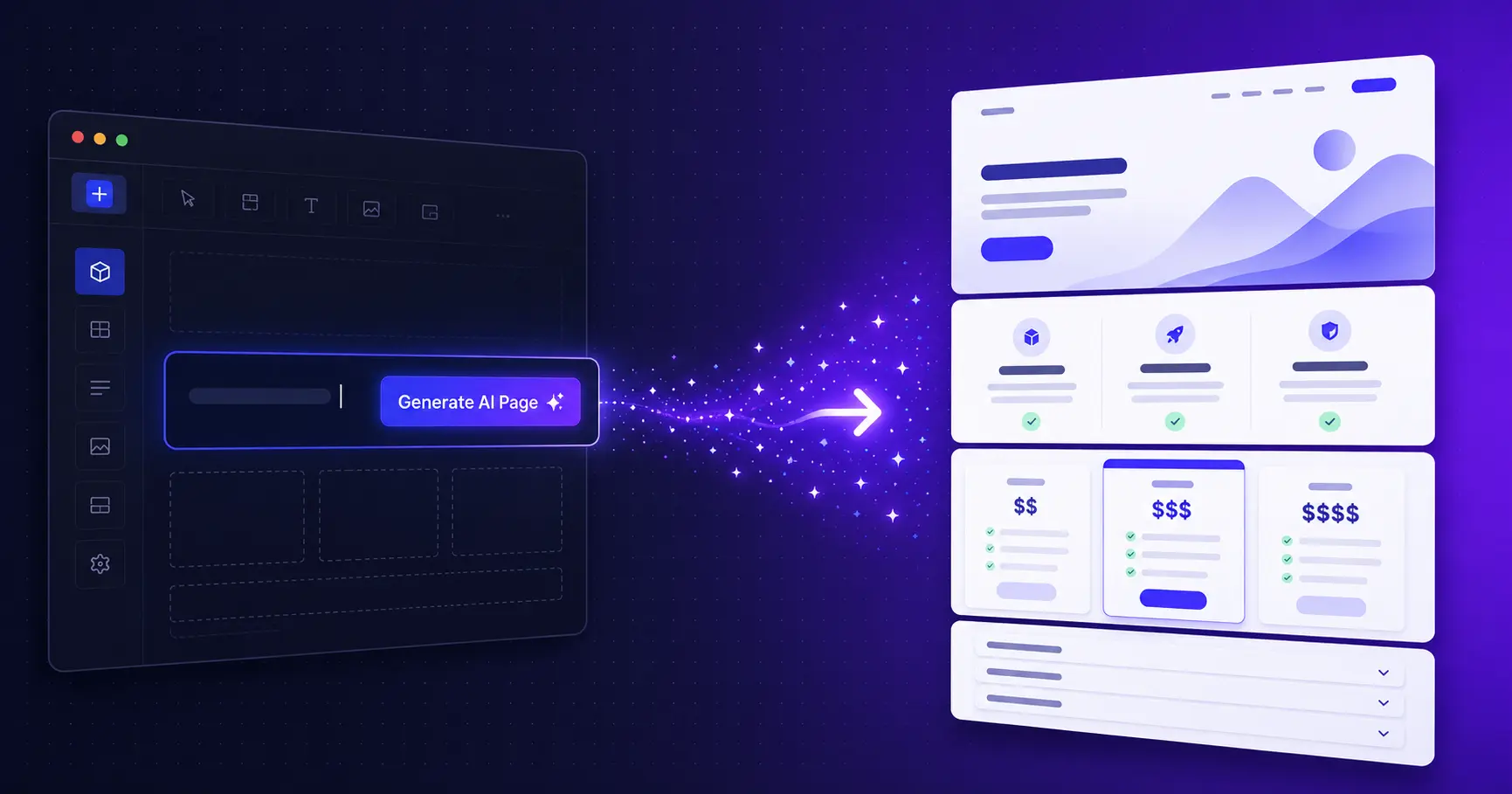
A Joomla plugin that adds Generate AI Page to the SP Page Builder editor. Describe a page, plan its sections, or start from a screenshot. It builds native layouts with the AI key you already set up in SP Page Builder, and shows a preview before anything is written.
Current version: Pro 2.1.0
- Preview before anything is written
- Version History snapshot on every change
- Your own OpenAI or Gemini key
On this page
What it does for you
Prompt to page
Describe the page and get sections, columns and native SP Page Builder addons, not pasted HTML.
Review before anything is written
A preview lists every section and block. Apply or discard. Every change saves a restore point to Version History first.
Plan sections first
Get an outline you can edit, then each section is built on its own, using tested patterns where they fit.
Matches your site
Brand kit, design styles, tone, your business profile, real links to your pages, or the look of another page.
More than pages
Dynamic Content collections, item autofill, page images, SEO text and translated copies of a page.
Controlled and safe
Administrator-only, with Joomla ACL and CSRF checks, daily limits, an activity log and an accessibility check.
Screenshots
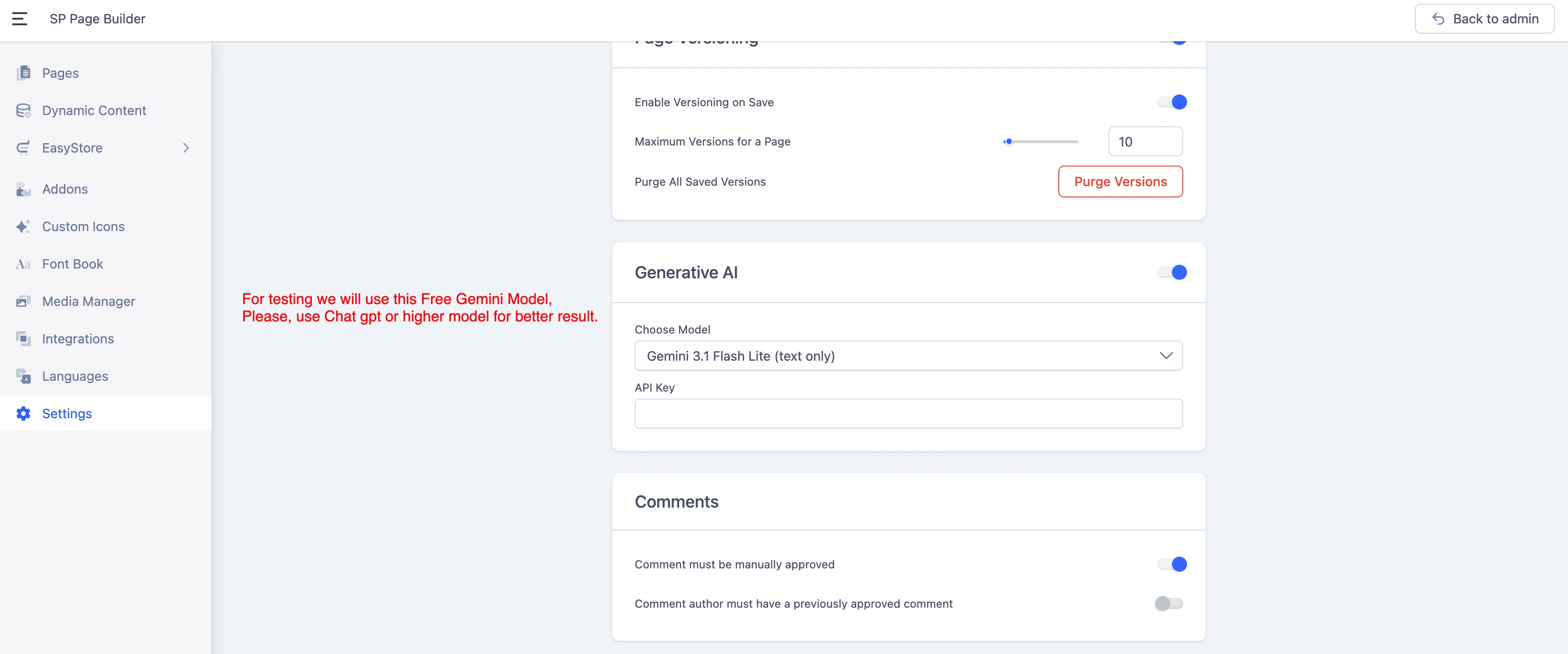
Step one: set your AI model and API key under SP Page Builder Settings, Generative AI. MuRu AI reuses them.
Start in three steps
- 1
Install and enable
Install
plg_system_muruaifrom System > Install > Extensions and enable the plugin. - 2
Set your AI key in SP Page Builder
Under SP Page Builder > Settings > Generative AI paste an OpenAI or Gemini key and choose a capable model such as GPT-4o, GPT-4.1 or Gemini 2.5 Pro.
- 3
Open a page and generate
Click Generate AI Page, describe the page, review the preview and Apply. Add your licence key in the plugin settings first, since the plugin is Pro only.
Installation, licence and every setting are in the documentation
What you get
Pro, licensed per site
MuRu AI is a Pro plugin with no free edition and no trial. You bring your own OpenAI or Gemini key, which your provider bills separately.
Everything it does
The highlights by job. The documentation covers each one in detail.
Generate
Generate AI Page
Replace or append to the open page from a written description, with a staged preview.
Plan sections first
An editable outline, then one small request per section. A failed section is reported, not fatal.
Verified section patterns
Six tested sections (hero, text, two columns, three features, three people, text with a button). For a pattern the AI writes only the words. Save your own sections as patterns.
Build from a screenshot
Attach a PNG, JPEG or WebP and get the same layout and look with original copy. Needs a vision-capable model.
Three options for a section
A close improvement, a different layout and a bolder version side by side. Nothing is written until you pick one.
Regenerate, improve, translate
Rebuild one section, lift a hand-built page, or duplicate a page into another language with the layout frozen.
Control
Design styles and tone
Corporate, Editorial, Bold, Soft, Dark, Minimal and Playful, plus five tones. Your brand colours always win.
Brand kit and business profile
Colours, fonts and button radius, plus who you are, what you offer and real proof points, added to every request.
Real site links
Buttons and cards use your actual menu items and articles instead of
#. Only titles and relative URLs are sent.Match another page
Reuse the spacing, colours, fonts and shapes of an existing page. Its wording is never read.
Templates, history and packs
Save prompts, re-run recent ones, share packs, and start from 30 industry briefs for six kinds of business.
Content
Dynamic Content
Design a collection with sample records plus its index and detail pages, and fill a collection item with AI.
Images and SEO text
Pick page images from the Media Manager or generate one, and write the page's SEO and Open Graph text in the same request.
EasyStore aware
On EasyStore layouts the model is told which layout it is building and which addons render there.
Safety
Check this page
Finds missing alt text, heading-level jumps, low button contrast and single-item sliders, and fixes the safe ones. No AI call.
What changed
Compares the page with its last saved version: sections added, removed, moved or edited.
Daily limits and activity log
Optional per-user and per-site daily limits, and a log of who generated what and when. Prompt text is never logged.
Administrator-only
Joomla login, ACL and CSRF on every request. The plugin never stores AI keys; it uses the one in SP Page Builder.
Settings, examples and walkthroughs for every feature are in the documentation
What's new
Version 2.0.0 · 2026-10-19
- Plan sections first — An editable outline, then every section built by its own request, with verified patterns.
- Build from a screenshot — Attach a reference image to get the same layout and look with original copy.
- Three options for a section — Compare a close improvement, a different layout and a bolder version before choosing.
- Design styles, real site links and match another page — New controls for how generated pages look and where their buttons go.
- Business profile and industry packs — Say who you are once, and start from 30 full page briefs.
- Check this page, What changed and daily limits — Accessibility fixes without an AI call, a diff of the last write, and spend limits for teams.
- Verified against SP Page Builder 6.10.0 — The addon catalogue and defaults were compared with a 6.10.0 install, including the new multi-step Form Builder.
- Accordions and tabs no longer crash the editor — Generated FAQs and tabbed blocks open cleanly, and Check this page repairs ones made by earlier versions.
- Page images work again — Choose opens the current Media Manager, and Generate tries gpt-image-1 before DALL-E 3.
Requirements
- Joomla 4, 5 or 6
- PHP 8.1 to 8.4
- SP Page Builder 6 (Free or Pro)
- OpenAI or Google Gemini API key
- Vision-capable model for screenshots
Frequently asked questions
Stop starting from a blank page
Describe the page, check the preview, apply. Every change is one click from undone.