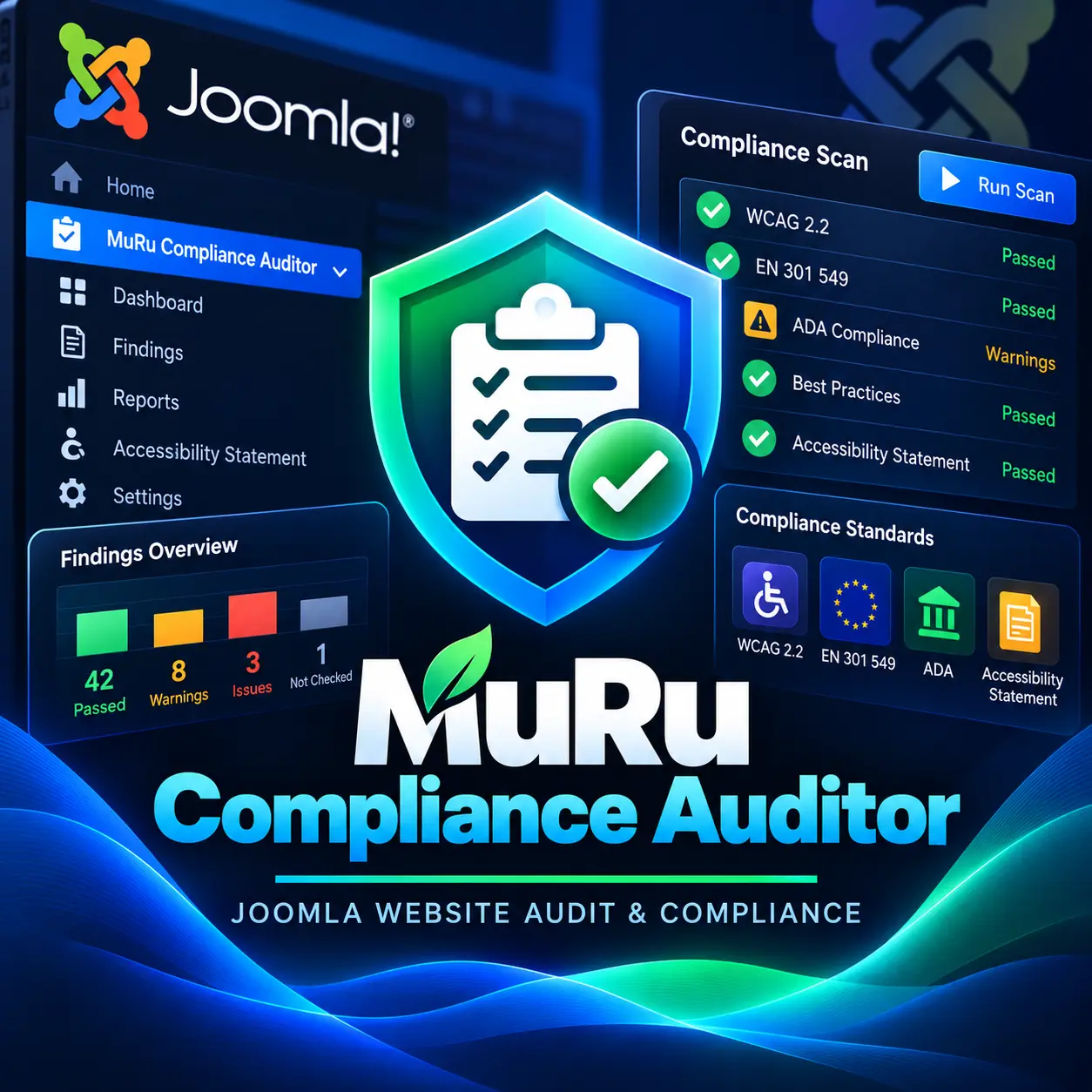
MuRu Compliance Auditor
A native Joomla auditor for the European Accessibility Act, the ADA and EU/US privacy law. It crawls your site, tracks conformance over time, and generates the dated report a lawyer or a procurement officer actually asks for — then shows your editors how to fix every issue inside Joomla.
Not an accessibility overlay. That is the point.
Free edition is fully functional and always free · no account required to scan.
Updates arrive natively through Joomla's own System > Update screen.
Already have an account? Sign in

WCAG 2.2 AA
+ EN 301 549
PDF + VPAT
Dated, Hash-Verified
Joomla 4·5·6
PHP 8.1 – 8.4
No Overlay
Fixes At The Source
Overview
MuRu Compliance Auditor installs like any Joomla extension and runs entirely inside the administrator, behind Joomla's own authentication and ACL. It discovers your pages from menus, categories and the sitemap, fetches each one with a same-origin, SSRF-safe crawler, and evaluates it against a pluggable set of WCAG 2.2 checks.
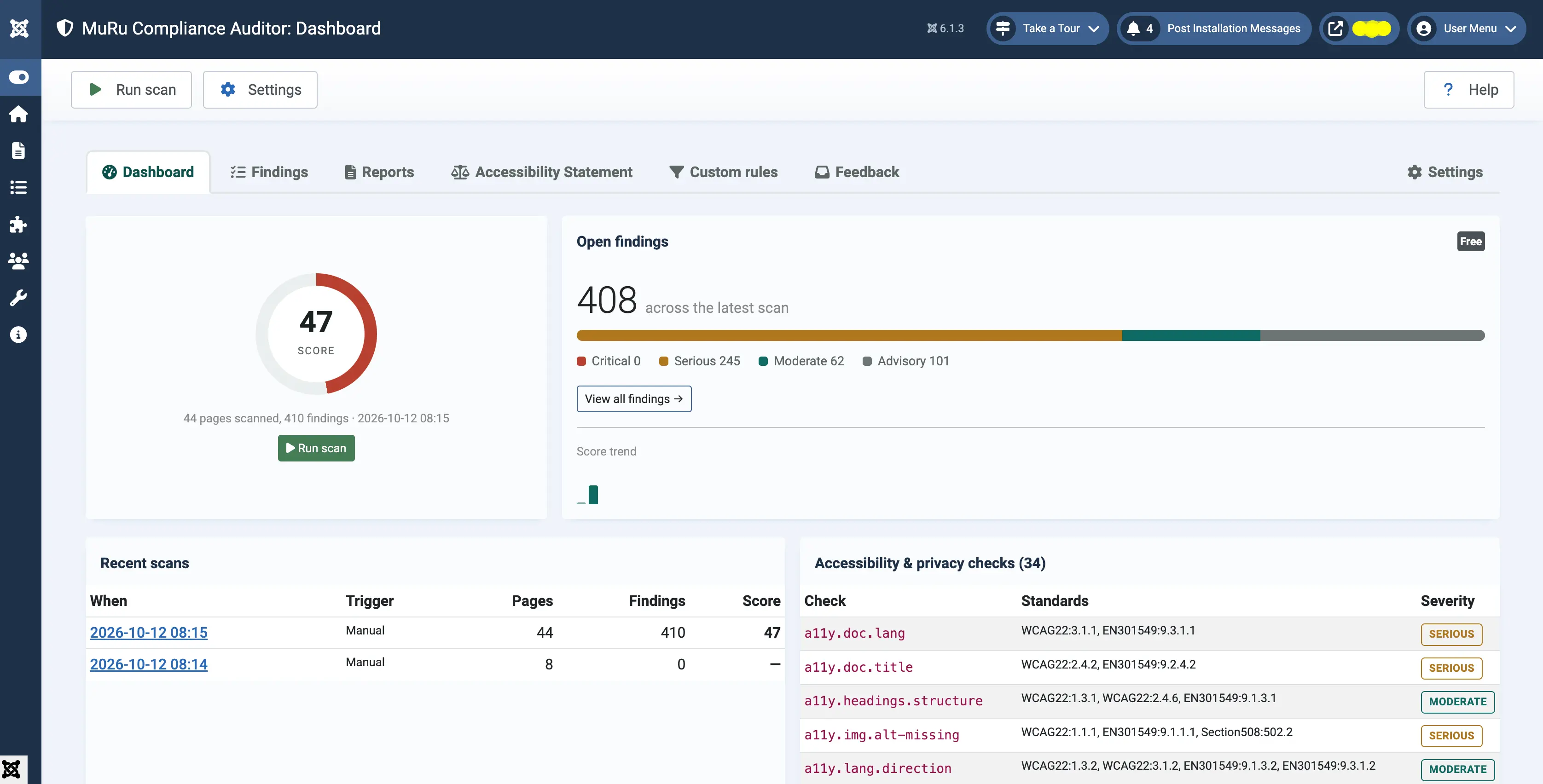
Every finding names the exact element, the success criterion it fails (WCAG 2.2 and EN 301 549), and how to fix it in Joomla. Scan results are scored, tracked over time, and — on Pro — rendered into a tamper-evident audit report and a ready-to-publish Accessibility Statement.
Part of the MuRu family alongside MuRu Guard Security Scanner.
Why It Matters Now
Accessibility stopped being optional in 2025 — on both sides of the Atlantic, at the same time — and the tool most sites reached for has been discredited.
28 Jun 2025
The European Accessibility Act became enforceable EU-wide, reaching any business selling to EU consumers, including firms based outside the EU.
$1,000,000
FTC fine (April 2025) against the leading accessibility-overlay vendor for claiming automation makes a site compliant.
≈ 23%
of H1-2025 US web-accessibility lawsuits were filed against sites that already had an overlay widget installed.
MuRu Compliance Auditor takes the opposite approach: find the real issues, guide the fix at the source, and keep a verifiable record that you did.
Free Edition — Always Free
Everything you need to find and fix accessibility problems on a single site, run on demand.
Whole-site accessibility scan
- WCAG 2.2 A/AA static analysis
- Images, headings, landmarks, forms, links
- Language, page title, zoom, ARIA basics
- Same-origin, SSRF-safe crawler
Author-time linter
- Editor button for an on-demand check
- Warnings on save for new violations
- Catches issues before content goes live
Findings dashboard
- Score, and breakdown by success criterion and page
- Score trend across recent scans
- "How to fix in Joomla" on every finding
Reports & statement
- Accessibility Statement generator (EU model structure)
- Printable HTML report
- JSON / CSV export of every finding
Free vs Pro — Full Breakdown
Free is genuinely complete for a single site run on demand. Pro is for teams that must stay compliant across many sites and prove it on request.
| Capability | Free | Pro |
|---|---|---|
| Accessibility scanning | ||
| WCAG 2.2 A/AA static scan (whole site) | ||
| Rendered deep scan (computed contrast, focus order, JS content) | — | |
| WCAG 2.2 additions (target size, focus not obscured, dragging) | — | |
| Scan profiles | WCAG 2.2 | + EN 301 549, 508, custom |
| Incremental scan (changed pages only) | — | |
| Author workflow | ||
| In-editor linter (button + on-save warnings) | ||
| Block-on-save policy, per category / severity | — | |
| "Needs attention" content queue | view | bulk fix + assign |
| Reporting & proof | ||
| Findings dashboard + remediation guidance | ||
| Score trend | recent | full history + charts |
| HTML report · JSON / CSV export | ||
| Dated PDF audit report | — | |
| Report integrity hash + public verification page | — | |
| EN 301 549 / VPAT + ADA Title III export | — | |
| White-label / agency branding | — | |
| Accessibility Statement generator | 1 template | custom · multi-site |
| Monitoring & alerts | ||
| Manual scan (single page + whole site) | ||
| Scheduled scans (Joomla Scheduler) | — | |
| Regression alerts (new findings / score drop) | — | |
| Slack · Discord · Telegram · webhook | — | |
| Privacy & consent (reporting only) | ||
| Tracker inventory vs declared consent categories | — | |
| Pre-consent network-call detection | — | |
| Stale cookie-declaration diff | — | |
| GDPR opt-in vs CCPA "Do Not Sell" guidance | — | |
| Right-to-be-forgotten helper | — | |
| Agency & scale | ||
| Single-site operation | ||
| Fleet dashboard (all licensed sites, one view) | — | |
| Remote re-scan / push profile across the fleet | — | |
| Per-client report packs | — | |
| Automation | ||
| Console command (muruaudit:scan) | — | |
| REST endpoints for CI | — | |
| CI gate mode (non-zero exit on threshold) | — | |
| SARIF export | — | |
| Platform | ||
| Admin quick-icon with live score | ||
| Control-panel dashboard module | — | |
| Per-action ACL · action-log entries | ||
| Priority support | — | |
Free and Pro are the same product, different builds — Pro code is simply absent from the Free package. Everything is GPL-2.0-or-later.
Pricing
New Lyzerslab accounts get Pro free for three months, no payment required. After that:
Free
Single site, run on demand
- Whole-site WCAG 2.2 A/AA scan
- In-editor linter
- Findings dashboard + fix guidance
- Accessibility Statement generator
- HTML / JSON / CSV output
- Scheduled monitoring & alerts
- PDF / VPAT audit reports
Single Site
One production site
- Everything in Free
- Scheduled scans + regression alerts
- Dated PDF audit report + integrity hash
- EN 301 549 / VPAT + ADA export
- Rendered deep scan
- Privacy & consent audit
- Fleet dashboard
Agency
Up to 10 client sites
- Everything in Single Site
- Up to 10 sites
- Fleet dashboard + remote re-scan
- White-label / branded reports
- Per-client report packs
- CI console + REST endpoints
- Priority support
Unlimited
Unlimited sites
- Everything in Agency
- Unlimited sites
- Priority support with a tracked ticket
Scheduled scanning, alert channels, PDF/VPAT reports, the rendered deep scan, the privacy audit, the fleet dashboard and CI endpoints are Pro features and unlock with an active licence. The full Free edition keeps working if a licence lapses.
What It Checks
Each check is a small, single-purpose rule that maps to a WCAG 2.2 success criterion and its EN 301 549 clause, and carries Joomla-specific remediation copy.
Images
Missing, empty or misused alt text; decorative images inside links or figures.
Headings
Skipped levels, empty headings, missing or duplicated h1.
Links & buttons
No accessible name, icon-only controls, ambiguous "click here" text.
Forms
Controls with no associated label, aria-label or wrapping label.
Frames
iframes with no title attribute.
Language
Missing or malformed html[lang].
Page title
Missing, empty or non-descriptive <title>.
Zoom
Viewport meta that disables pinch-zoom or caps maximum-scale below 2.
Colour contrast
Static estimate now; computed in the browser on Pro's rendered scan.
Tables, ARIA, landmarks, media
Rolling out — see the roadmap.
Author-Time Linter
Accessibility drifts every time an editor uploads a PDF, pastes a table, or adds an image without a description. The linter moves the check left: an editor button runs an on-demand review of the current article, and a save-time hook warns when a change introduces a new violation.
On Pro, a policy can escalate specific categories or severities to block-on-save, and rules can be tuned per author or per category.
Reporting & Proof
Pro"Show us what you've done, and when." That is the question from a regulator, an insurer, a procurement officer or a plaintiff's lawyer — and a screenshot does not answer it.
Dated PDF audit report
Scoped, standard-mapped, and stamped with the scan date.
Integrity hash
A SHA-256 of the exact scan is embedded; a public page re-computes and confirms it.
EN 301 549 / VPAT
Export the Accessibility Conformance Report format procurement asks for.
ADA Title III checklist
Mapped alongside the WCAG results.
White-label
Agency branding on every client report.
Full history
Score and findings tracked across every scan, with charts.
Accessibility Statement Generator
Generates a statement following the EU model structure — standard applied, conformance status, known non-accessible content and why, the feedback mechanism, the enforcement contact, and the preparation date and method — ready to publish as a Joomla menu item.
Free ships one template for the current site. Pro adds custom fields, multi-site statements, an auto-refreshed conformance status tied to your latest scan, and a hosted verification URL.
Privacy & Consent Audit
ProReporting only — it never blocks or rewrites anything. The Joomla cookie-consent space is already crowded; the unsolved part is knowing whether what actually fires matches what you declared.
- Inventory of third-party trackers present on each page
- Detection of tags loading before a consent signal
- Diff of new cookies since the last scan (stale declaration catch)
- GDPR opt-in vs CCPA "Do Not Sell" guidance by visitor region
- Google Consent Mode v2 signal-presence check
- Right-to-be-forgotten helper: locate a person's data across core and registered third-party tables
Agency & Fleet
ProOne licence covers every client site. The fleet dashboard shows each site's score and open findings in a single view, lets you trigger a remote re-scan or push a scan profile across the fleet, and bundles per-client report packs. It is the basis for a productised "compliance monitoring" retainer.
CI & Automation
ProA Joomla console command and read-only REST endpoints let a pipeline run a scan and fail a build when the score drops below a threshold. Findings export as SARIF for code-scanning UIs, or JSON and CSV for anything else.
php cli/joomla.php muruaudit:scan --profile=wcag22-aa --fail-under=90 --format=sarif
Installation
- 1
Install the package
Upload pkg_muruaudit from System > Install Extensions. One package installs the component, the system and quick-icon plugins, and (Pro) the scheduled-scan and CI plugins plus the dashboard module.
- 2
Set permissions
By default only Super Users get access. Grant Scan, Configure, Export or Manage-Statement permissions to trusted groups through Joomla's own Access Levels.
- 3
Run a scan
Open Components > MuRu Compliance Auditor > Dashboard, pick a profile, and review findings grouped by success criterion and page.
- 4
Publish the statement
Generate an Accessibility Statement and link it from a menu item.
- 5
Schedule monitoring
On Pro, enable a scheduled task in Joomla's Scheduler and bind an alert channel (email, Slack, Discord, Telegram or webhook).
- 6
Activate your licence
Paste your key into Settings > Licence to unlock PDF/VPAT reports, the rendered deep scan, the privacy audit, the fleet dashboard and CI endpoints.
- 7
Stay updated
The extension registers with Joomla's update system on both Free and Pro — new releases appear in System > Update.
Requirements
Privacy & Security Model
Nothing leaves your server
Page content, findings, file paths and URLs are analysed locally and never transmitted. The Free edition's only outbound call is Joomla's update check.
Pro outbound is opt-in
The licence check, alert webhooks and fleet sync are each off by default and configured by you; none of them send page content or findings unless you set up that channel.
SSRF-safe crawler
Same-origin only; refuses to fetch private, loopback, link-local or CGNAT addresses even when given an operator-supplied URL; caps pages, time and response size.
Offline install script
The install/update script makes no network calls and sets a restrictive ACL default — only Super Users until you widen it.
CSRF + ACL on every action
Scan, export, settings and statement actions all require Joomla's token and an explicit permission check.
Parameterised queries, escaped output
Every database access uses the query builder; every template value is escaped.
Not an overlay
No runtime script is injected into your public site. No DOM is rewritten for visitors. No "instant compliance" claim is made.
GPL-2.0-or-later
Both editions, as required for Joomla extensions.